From capture plan to image grid
A gigapixel panorama consists of hundreds, sometimes thousands of photographs. With PanoramaControl, I choose the area to capture and how much the images should overlap. The motorised head moves the camera to each position and releases the shutter. The recorded camera angles help arrange the photographs in PTGui later.
- Plan: choose a camera/lens profile and check the grid or spherical bands in the preview.
- Capture: monitor progress and warning points, pause or repeat a column.
- Continue: resume an interrupted sequence and export camera positions for PTGui.
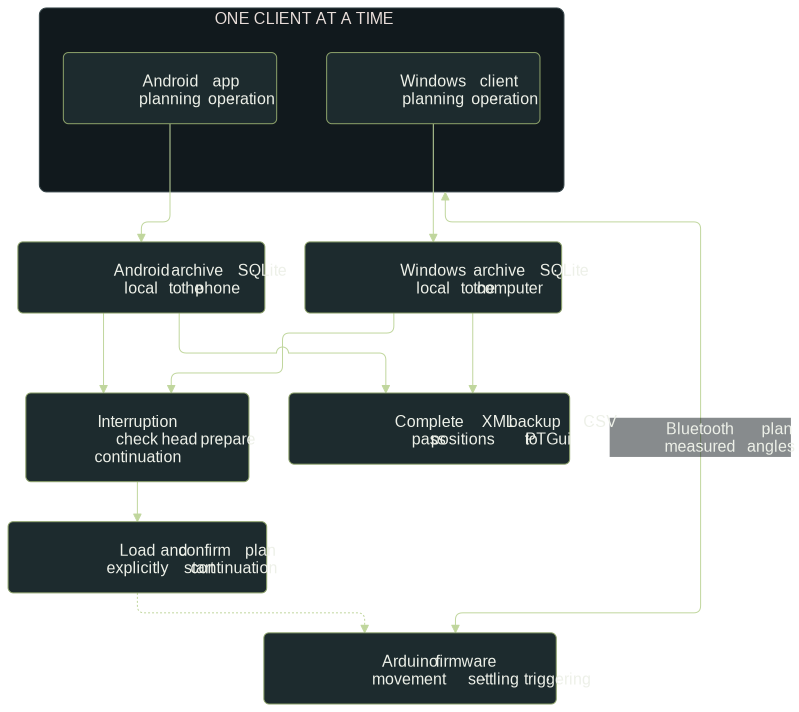
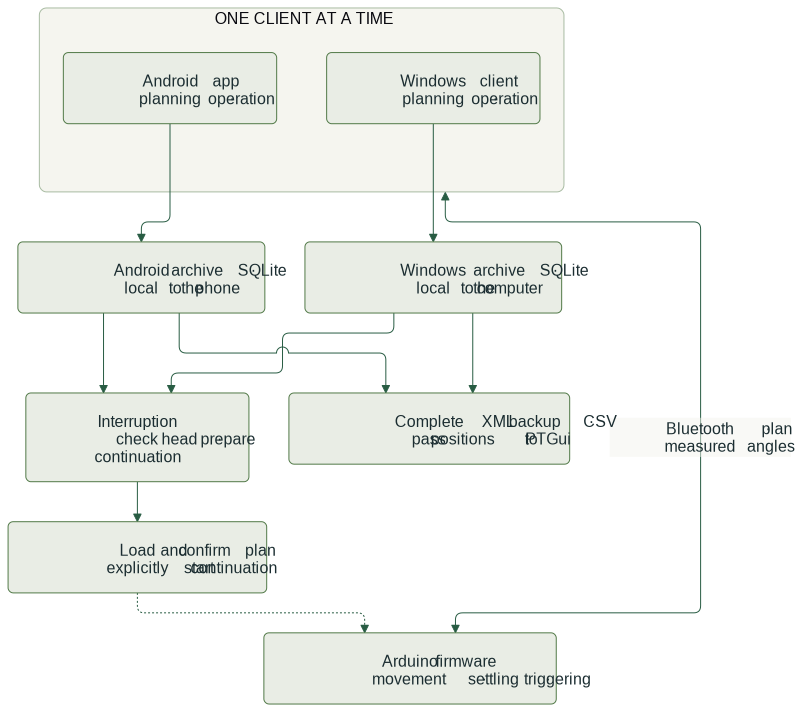
I can control the head over Bluetooth from Android or Windows, with one device connected at a time. Sending a plan does not start taking photographs. Capture begins when I press Start. The firmware in the head handles movement, waits for the camera to settle and triggers the shutter. My workflow follows the process through to the finished panorama.
Android and Windows in practice
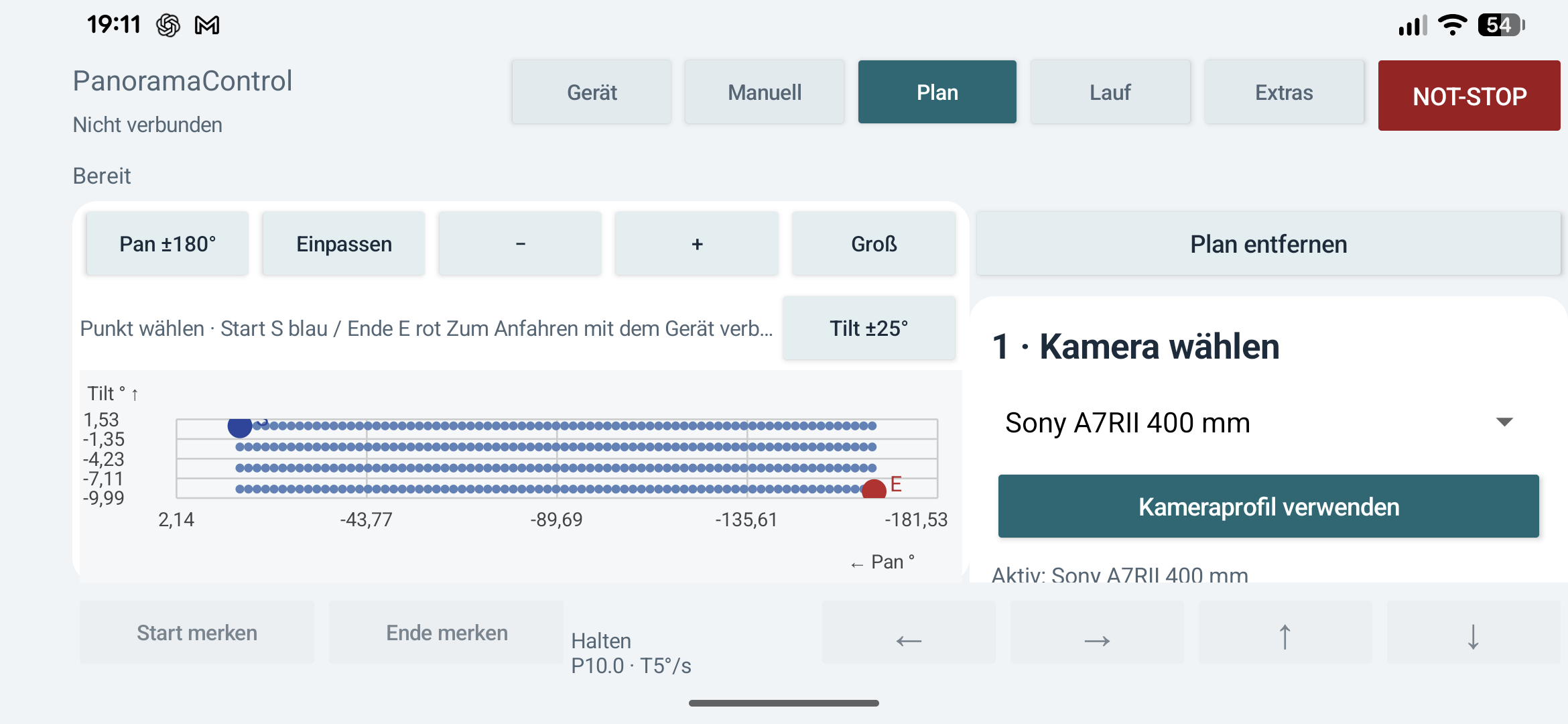
Android is intended for use in the field: choose a camera profile, set the capture area and follow progress. The interface is available in German and English. Blue and red mark the beginning and end of the sequence. The A7R II / 400 mm profile shown is an example. Planning also accounts for the head’s movement limits when using spherical bands.
Windows gives the preview and camera settings more room on a notebook or Surface. Alongside grid and spherical capture, I can move to individual positions, repeat columns and plan timelapses. Both apps save capture histories and can use them to prepare the remaining photographs after an interruption. Their controls and some export options differ.
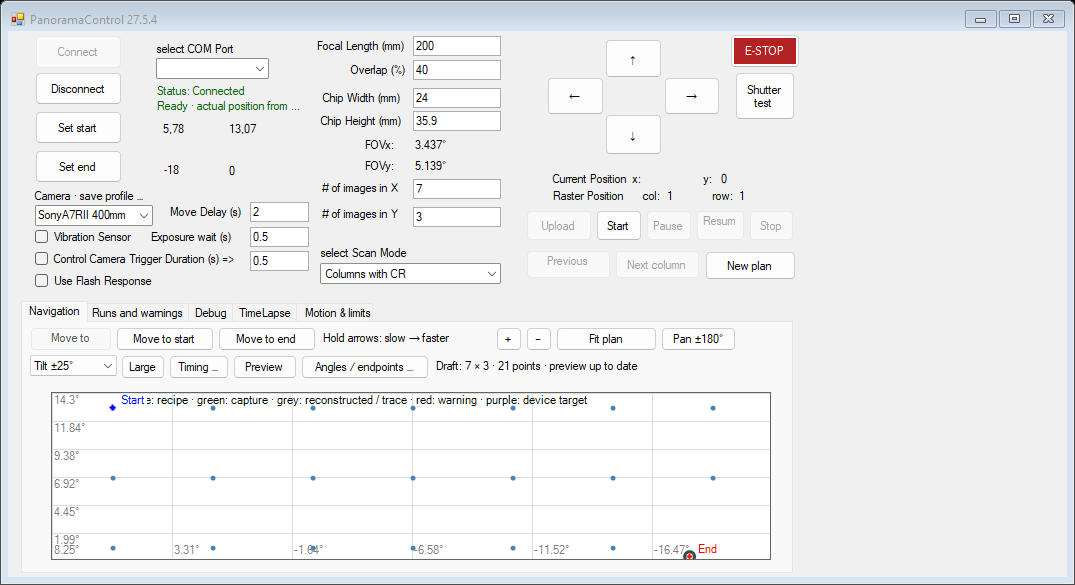
Save progress and export to PTGui
The apps record captures in a SQLite database on the device being used. At the same time, they write camera positions in Papywizard XML format, which PTGui can read. Each backup replaces the previous file only once it has finished writing. The status display shows pending data or a failed save. After a restart, missing entries can be recovered from the archive.
XML and CSV exports can bring together several linked parts of a panorama. Archives stay on the device where they were created; Android and Windows do not synchronise them automatically.
The photographs stay on the camera. Images and position records come together during stitching. If I have repeated a column, I need to match the additional photographs correctly. I describe this next step in the PTGui workflow section.
Example: continue an interrupted sequence
If a sequence stops halfway through a column, the captures already recorded remain in the archive. The original plan can then be used to create a continuation job for the remaining positions:
- Resolve the cause: check the connection and the head’s reference position. Resume is enough after a normal pause; a stop or fault may need a continuation job.
- Choose a starting point: continue from the interrupted column or repeat the previous whole column. Spherical captures keep their original bands.
- Load the plan: transfer the continuation and wait for the head to confirm it.
- Start capture: only now does the sequence continue. Both parts stay linked for export, including any repeated captures.
In Windows, open “Läufe & Warnpunkte → Restauftrag …” (Runs and warning points → continuation job). If the reference position has changed or the connected device cannot be identified reliably, continuation stays blocked. The recovery manual explains each case. The function is available in both apps. Another complete field test after a real fault, and a check of the whole process on the Surface, are still to come.
More precise positioning: the measurements
The encoders show how closely the head reaches each planned camera position. Tighter tolerances in the stored motor profile make the controller correct smaller pan errors. This setting lives in the head, so it applies whichever app is used.
The revision 40 test covered 96 capture events. The largest pan error was 0.236°, with a median of 0.089°. The longer run of 72 captures still produced 13 target-missed warnings; its largest tilt error was 0.315°. These figures apply to that test setup. Other loads and wind need further testing. I check the image files afterwards to see whether every photograph is present and sharp.
The pan correction report contains the measurements, conditions and changed parameters.
Tested reference and useful guides
As of 27 October 2026: this combination has been tested together on the head:
| Component | Reference |
|---|---|
| Arduino Nano R4 firmware | 2.4.75 |
| Android app | 0.6.27 |
| Windows application | 27.5.4 |
| Stored motor profile | Revision 40; revision 39 retained as a fallback |
The corresponding sources are kept in the tagged GitHub reference. Changing the pan tolerances only requires the motor profile, without new firmware. The profile must be transferred separately. Firmware 2.4.76 contains a tilt-reference experiment and is not part of the tested combination above.
- Operation: Short English manual and detailed German handbook.
- Functions and tests: Feature matrix and test report.
- Apps and source: Android, Windows and firmware.
- Build and processing: PanoBoard electronics and my stitching tools.
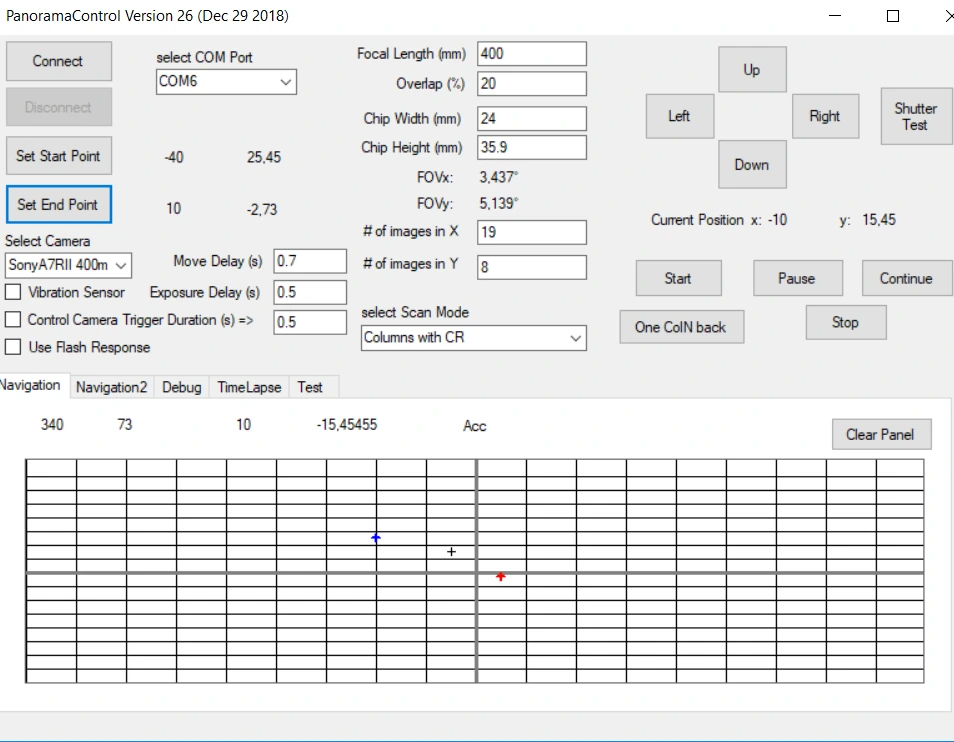
Earlier Windows interface